
HubSpot has decided to jump into the world of project management. Our delivery process at Zippily is fairly complex. It needs accountability, time tracking, automation and easy collaboration, so I wanted to see how much of it HubSpot Work could take on. Here’s what I’ve found so far.
What is HubSpot Work?
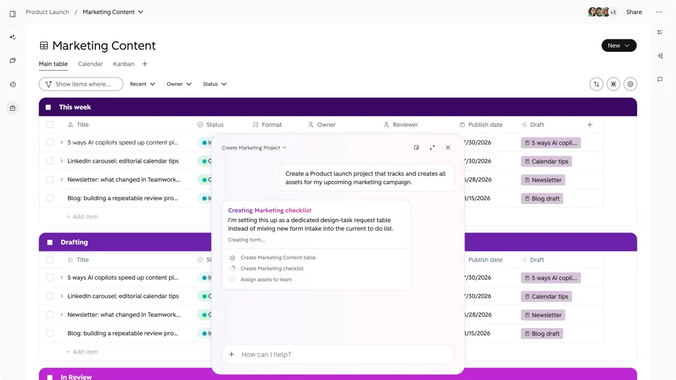
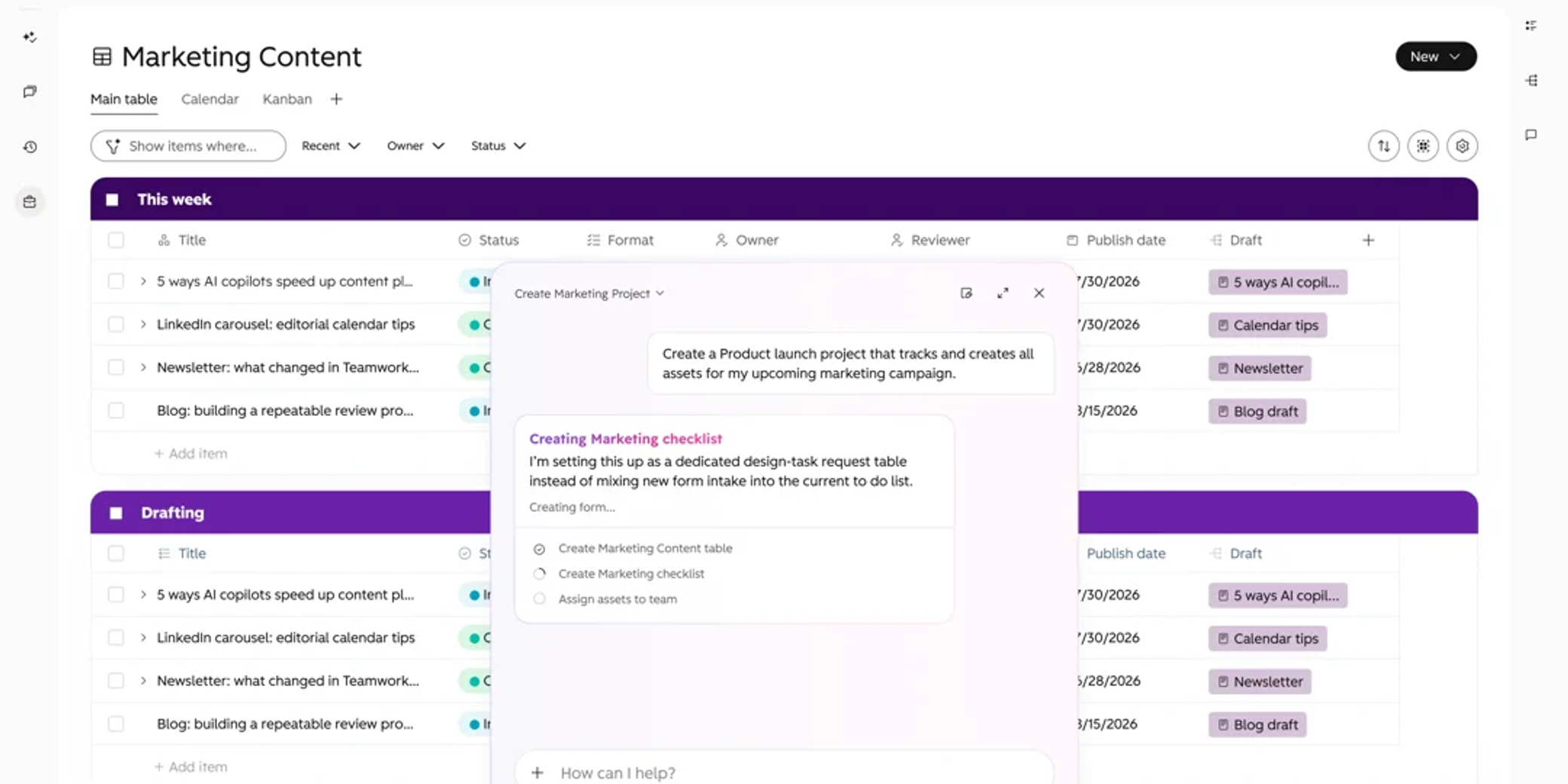
HubSpot Work shows up as “Work Management” in your HubSpot navigation, and it’s HubSpot’s answer to tools like Asana and Monday. You can build projects with tables, documents, intake forms and automations, and you can hand parts of a process to AI agents. You can describe what you want in plain English and HubSpot will build a first version for you.
The real difference is where it lives. Everything sits on top of your CRM, so a task is tied to the contact, company and deal it relates to. HubSpot ships templates for client onboarding, deal desk coordination, webinar planning and content production. I started with onboarding.
Is HubSpot Work the same as HubSpot Projects?
No, and the naming doesn’t help. HubSpot already has a Projects object in the CRM. You can track delivery on it with properties, pipelines and stages, and report on it like any other record. Projects in HubSpot Work are something different: collaborative spaces that hold tables, documents, forms and agents. HubSpot’s own documentation says the two aren’t related.
So don’t expect a HubSpot Work project to update a CRM project record, or the other way round. If you already track delivery stages on CRM project records, keep doing that. Use HubSpot Work for the coordination around them: the briefs, the checklists and the intake.
What does HubSpot Work cost, and who can use it?
Quick spoiler: it’s still in public beta, and parts of it use your HubSpot Credits.
Now that we’ve got that over with, here’s how access works. A Super Admin needs to join the public beta and turn on HubSpot’s generative AI setting. Each user needs an assigned Core, Sales or Service seat. HubSpot Work is available from Starter in Marketing, Sales, Service, Data and Content Hub, and from Professional in Smart CRM and Revenue Hub.
On credits, only the AI steps cost you. Rule-based actions like updating a table value, assigning a task or sending an email don’t use credits. AI actions inside an agent do. My advice is to use plain automation wherever it does the job and save the AI for work that needs judgement.
Why we’ve always said “HubSpot isn’t a project management tool”
I’ve lost count of how many times we’ve told prospects that “HubSpot is a CRM, not a project management tool.” We’d then point them to a project management tool that integrates well with HubSpot, usually Asana.
We use Asana internally and rely on it heavily. So when I saw a chance to consolidate our tool stack, I was naturally intrigued.
How we used HubSpot Work to automate client onboarding
My first test was automating our onboarding checklists. When a deal closes, our Delivery Manager now automatically gets:
- A sales-to-delivery handoff document with the relevant context on the client
- A kick-off checklist covering the kick-off deck, scheduling the kick-off meeting, the internal briefing and setting up client folders
- A calendar view of the project timeline
I then made the checklist change depending on which service the client signed up for. A CRM implementation gets a different set of tasks from a marketing automation project, and nobody has to sort that out by hand.
If you’re trying it yourself, do what we did. Start with one process that already causes friction, get it working properly, then expand.
What’s better about running projects inside your CRM?
The context. When I click into a task, I can see the contact, company and deal it’s associated with, plus every email and meeting with that client. I’ve got the full picture before I start, so nobody gets chased for background and nothing gets done twice.
It also removes the need to integrate separate tools. Every integration is a point where data and context drop off. With one system, there’s nothing to drop.
Decide where the truth lives before you build
The easiest trap with HubSpot Work is ending up with two places that say whether a project is on track. If the CRM project says “testing” and the Work checklist says “complete”, someone has to work out which one is right. That’s exactly the double handling we’re trying to get rid of.
Before you build anything, pick one home for each thing that matters: delivery stage, due date, owner and agreed scope. Then build HubSpot Work around those decisions. HubSpot’s AI will happily generate a workspace from a prompt, but it can’t decide who owns a commitment to your client. That’s still on you.
Three things to check before you roll it out
- Forms write to a Work table. HubSpot Work forms sit alongside your marketing forms, but submissions land in a configured Work table. Check what else they update before you rely on them for CRM data.
- Test with the people who’ll actually use it. HubSpot Work has its own sharing roles (Admin, Member, Owner, Contributor and Viewer), and each user needs the Work Management permission turned on. If something works for an admin, that doesn’t mean it works for your delivery team.
- Watch your credits. Give an agent one narrow job, like flagging overdue tasks, and keep an eye on consumption before you let it loose on anything bigger.
Can HubSpot Work replace Asana?
It’s too early to say. HubSpot Work is still in beta and we’re in the early stages with it. What I can say is that it’s sparked my imagination for what’s possible down the track. If it matures the way I expect, we get lower software costs and one fully integrated system to run the business from.
HubSpot is closing the gaps in your tech stack
Between HubSpot Work and Revenue Hub, I think HubSpot has pinpointed exactly where businesses have had to bolt extra tools onto their CRM:
- Project management tools
- ERP
- Invoicing software
- Proposal software
In the world of AI, I believe the most valuable currency is data and context. An AI agent is only as good as what it can see. HubSpot’s push to bring your whole tech stack onto one platform is the right move.
What this means for HubSpot partners and their clients
It also means more upskilling for implementation partners like us. The learning curve has never been steeper. Onboarding a client used to mean a data import, a sales pipeline and some marketing automation. Now HubSpot covers Marketing, then Sales, then Service, then Finance, and now Operations. That’s your whole business on one platform, and your HubSpot partner needs to understand all of it, not just the CRM. It’s a big part of why our RevOps retainers now look at operations as well as sales and marketing.
Frequently asked questions
What is HubSpot Work?
HubSpot Work is HubSpot’s AI work management tool. You use it to build projects, tables, documents, forms, automations and AI agents, all connected to your HubSpot CRM.
Is HubSpot Work free?
Access is included with an assigned Core, Sales or Service seat. Rule-based automations don’t use credits, but AI actions inside HubSpot Work agents use HubSpot Credits.
Which HubSpot plans include HubSpot Work?
It’s available from Starter in Marketing, Sales, Service, Data and Content Hub, and from Professional in Smart CRM and Revenue Hub.
Is HubSpot Work the same as HubSpot Projects?
No. HubSpot says projects in HubSpot Work aren’t related to the CRM Projects object. Keep reportable delivery stages on CRM project records, and use HubSpot Work for collaboration and coordination.
Is HubSpot Work still in beta?
Yes. As of October 2026 it’s in public beta, so features and pricing may change. A Super Admin needs to join the beta and enable generative AI access before anyone can use it.
What can you use HubSpot Work for?
Client onboarding, sales-to-delivery handovers, deal desk coordination, renewals, event planning, content production, or any repeatable process that benefits from being linked to CRM records.
Where do HubSpot Work form submissions go?
To a single configured Work table. Submissions can also trigger automations.
Does HubSpot Work integrate with Asana?
HubSpot Work is part of HubSpot, so it doesn’t need an integration with your CRM. If you’d rather keep Asana, HubSpot’s Asana integration is still available.
Thinking about running your projects in HubSpot?
If you’d like to talk through whether HubSpot Work fits your delivery process, let’s chat. There’s no obligation, just a conversation.

Written by
Sean Towson
Managing Director / Senior HubSpot Specialist